Lightwave 11.5 Modeler Volumes #9 to #12
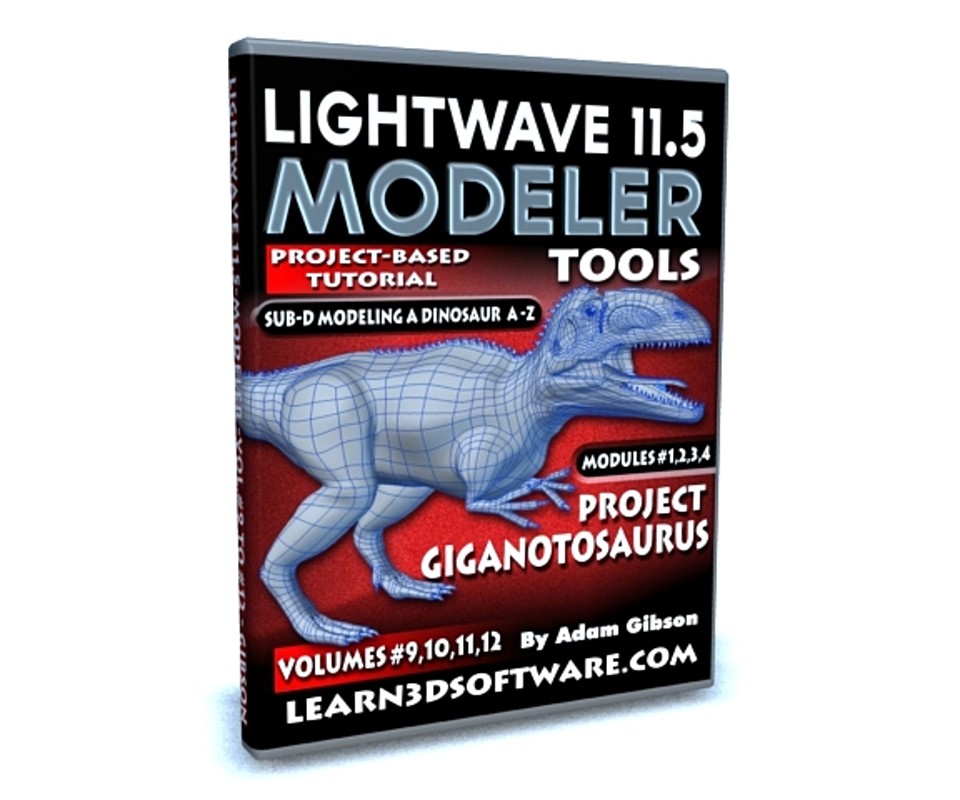
Lightwave 11.5 Modeler Volumes #9 to 12- Project Giganotosaurus
In Volumes 9, 10, 11, and 12 of our Lightwave 11.5 Modeler Series Lightwave Instructor Adam Gibson will take you through a complete Sub-D Character Modeling project broken up into four Modules (1 to 4) .
From A to Z the creation of a Gigantonosaurus Dinosaur will be taught step by step in great detail all starting from a simple box primitive.
The concepts and techniques used here in this extensive training course will give you the knowledge on how to create amazing characters, animals, beasts and monsters of your own.
Some of the things you will learn from this course: 1) Sub-D Theory, 2) Setting Up Backdrop Images, Using the Internet to find useful images for your own projects, Box-Modeling Concepts, Quad-Patching, Creating Complex Geometry Starting from Basic Shapes, Redirecting Polygon Flow, Mesh Prepping/Cleaning/Optimizing/Tweaking and more.
A great series for beginner 3D students or those who wish to improve their Sub-D Modeling skills with a minimal amount of tools.
Bonus Content: 1) All Lightwave model files, Back-Drop Reference Images, and absolutely free our "Creature Eye Pack" texture collection (Retail Value- $19.00 US Funds)
Table of Contents for Project Giganatosaurus
(Module 1)
Chapter 1- Intro
Chapter 2- Reference Images and Using the Internet to find Reference Images
Chapter 3- How to Set-Up Back Drop
Chapter 4- Secrets of the "Quad-Patching" Technique
Chapter 5- Modeling the Body and Tail
Chapter 6- Creating a Base for the Head and Mouth Edge/Polygon Flow
(Module 2)
Chapter 7- Modeling the Leg
Chapter 8- Tweaking the Mesh to Build the Arm
Chapter 9- Modeling the Arm
Chapter 10- Modeling the Fingers
Chapter 11- Modeling the Toes
Chapter 12- Modeling the Inner Toe Claw
Chapter 13- Modeling the Toe Claws
Chapter 14- Modeling the Finger Claws
(Module 3)
Chapter 15- Deleting the Un-Needed Polygons in the Head
Chapter 16- ReRouting the Polygons in the Lower Jaw
Chapter 17- ReRouting the Polygons for the Upper Head
Chapter 18- How to Smooth Out Blocky Areas
Chapter 19- Shaping the Nostrils
Chapter 20- Shaping the Nasal Tissue
Chapter 21- Shaping the Eye Socket Area
Chapter 22- Shaping the Temple Area
Chapter 23- Shaping the Ear Hole
Chapter 24- Shaping the Eye Hole
Chapter 25- Adjusting the Mouth
(Module 4)
Chapter 26- Cleaning Up the Upper Head
Chapter 27- Sculpting the Ear and Eye Detail
Chapter 28- Sculpting the Nasal Tissue and Nostril
Chapter 29- Sculpting the Mouth and Skin Flap
Chapter 30- Eyelid Tweaking
Chapter 31- Leg Adjustments
Chapter 32- Building the Mouth Interior
Chapter 33- Creating the Inner Throat
Chapter 34- Modeling the Tongue
Chapter 35- Tapering the Jaws
Chapter 36- How to Create and Clone Teeth
Chapter 37- How to Create Spine Spikes and Clone the Spine Spikes
Chapter 38- Create Head Bumps
Chapter 39- Final
Running Time: Approx 12 hrs. 0 mins.
Resolution: 1920 x 1080 pixels
Video Format: MP4 Video (.mp4)
Level: Beginner
You will get 80 files
All files previously purchased will always be available for download in your Library
- LW_11_5_Modeler_Tools_Vol...1.69 MB
- LW_11_5_Modeler_Tools_Vol...1.69 MB
- Content_Folder.zip14.79 MB
- Content_Folder.zip14.79 MB
- LW_11_5_Modeler_Tools_Vol...29.04 MB
- LW_11_5_Modeler_Tools_Vol...29.04 MB
- LW_11_5_Modeler_Tools_Vol...19.59 MB
- LW_11_5_Modeler_Tools_Vol...19.59 MB
- LW_11_5_Modeler_Tools_Vol...106.52 MB
- LW_11_5_Modeler_Tools_Vol...106.52 MB
- LW_11_5_Modeler_Tools_Vol...84.81 MB
- LW_11_5_Modeler_Tools_Vol...84.81 MB
- LW_11_5_Modeler_Tools_Vol...175.03 MB
- LW_11_5_Modeler_Tools_Vol...175.03 MB
- LW_11_5_Modeler_Tools_Vol...115.73 MB
- LW_11_5_Modeler_Tools_Vol...115.73 MB
- LW_11_5_Modeler_Tools_Vol...173.04 MB
- LW_11_5_Modeler_Tools_Vol...173.04 MB
- LW_11_5_Modeler_Tools_Vol...52.72 MB
- LW_11_5_Modeler_Tools_Vol...52.72 MB
- LW_11_5_Modeler_Tools_Vol...134.26 MB
- LW_11_5_Modeler_Tools_Vol...134.26 MB
- LW_11_5_Modeler_Tools_Vol...180.83 MB
- LW_11_5_Modeler_Tools_Vol...180.83 MB
- LW_11_5_Modeler_Tools_Vol...109.61 MB
- LW_11_5_Modeler_Tools_Vol...109.61 MB
- LW_11_5_Modeler_Tools_Vol...35.02 MB
- LW_11_5_Modeler_Tools_Vol...35.02 MB
- LW_11_5_Modeler_Tools_Vol...103.44 MB
- LW_11_5_Modeler_Tools_Vol...103.44 MB
- LW_11_5_Modeler_Tools_Vol...43.12 MB
- LW_11_5_Modeler_Tools_Vol...43.12 MB
- LW_11_5_Modeler_Tools_Vol...220.31 MB
- LW_11_5_Modeler_Tools_Vol...220.31 MB
- LW_11_5_Modeler_Tools_Vol...147.24 MB
- LW_11_5_Modeler_Tools_Vol...147.24 MB
- LW_11_5_Modeler_Tools_Vol...227.55 MB
- LW_11_5_Modeler_Tools_Vol...227.55 MB
- LW_11_5_Modeler_Tools_Vol...81.63 MB
- LW_11_5_Modeler_Tools_Vol...81.63 MB
- LW_11_5_Modeler_Tools_Vol...37.47 MB
- LW_11_5_Modeler_Tools_Vol...37.47 MB
- LW_11_5_Modeler_Tools_Vol...55.34 MB
- LW_11_5_Modeler_Tools_Vol...55.34 MB
- LW_11_5_Modeler_Tools_Vol...41.56 MB
- LW_11_5_Modeler_Tools_Vol...41.56 MB
- LW_11_5_Modeler_Tools_Vol...39.95 MB
- LW_11_5_Modeler_Tools_Vol...39.95 MB
- LW_11_5_Modeler_Tools_Vol...36.01 MB
- LW_11_5_Modeler_Tools_Vol...36.01 MB
- LW_11_5_Modeler_Tools_Vol...154.39 MB
- LW_11_5_Modeler_Tools_Vol...154.39 MB
- LW_11_5_Modeler_Tools_Vol...125.39 MB
- LW_11_5_Modeler_Tools_Vol...125.39 MB
- LW_11_5_Modeler_Tools_Vol...129.46 MB
- LW_11_5_Modeler_Tools_Vol...129.46 MB
- LW_11_5_Modeler_Tools_Vol...84.77 MB
- LW_11_5_Modeler_Tools_Vol...84.77 MB
- LW_11_5_Modeler_Tools_Vol...88.18 MB
- LW_11_5_Modeler_Tools_Vol...88.18 MB
- LW_11_5_Modeler_Tools_Vol...92.1 MB
- LW_11_5_Modeler_Tools_Vol...92.1 MB
- LW_11_5_Modeler_Tools_Vol...80.65 MB
- LW_11_5_Modeler_Tools_Vol...80.65 MB
- LW_11_5_Modeler_Tools_Vol...265.24 MB
- LW_11_5_Modeler_Tools_Vol...265.24 MB
- LW_11_5_Modeler_Tools_Vol...51.34 MB
- LW_11_5_Modeler_Tools_Vol...51.34 MB
- LW_11_5_Modeler_Tools_Vol...176.27 MB
- LW_11_5_Modeler_Tools_Vol...176.27 MB
- LW_11_5_Modeler_Tools_Vol...76.6 MB
- LW_11_5_Modeler_Tools_Vol...76.6 MB
- LW_11_5_Modeler_Tools_Vol...318.52 MB
- LW_11_5_Modeler_Tools_Vol...318.52 MB
- LW_11_5_Modeler_Tools_Vol...106.93 MB
- LW_11_5_Modeler_Tools_Vol...106.93 MB
- LW_11_5_Modeler_Tools_Vol...63.79 MB
- LW_11_5_Modeler_Tools_Vol...63.79 MB
- LW_11_5_Modeler_Tools_Vol...180.51 MB
- LW_11_5_Modeler_Tools_Vol...180.51 MB