GestureFlow - Gestures and References Practice
GestureFlow
A flexible gesture drawing and reference study app for artists
GestureFlow is a Windows desktop companion for gesture drawing practice, reference study, and building a consistent art routine.
It brings timed practice sessions, custom drawing classes, reference presets, study tools, progress tracking, and a focused image viewer into one clean workspace designed specifically for artists.
Instead of switching between folders, browser tabs, timers, and separate reference tools, GestureFlow gives you a practical environment for drawing practice: choose your references, pick a session type, and start drawing.
Practice the way you want
GestureFlow includes four main modes, each designed for a different practice scenario.
Quick Sketch
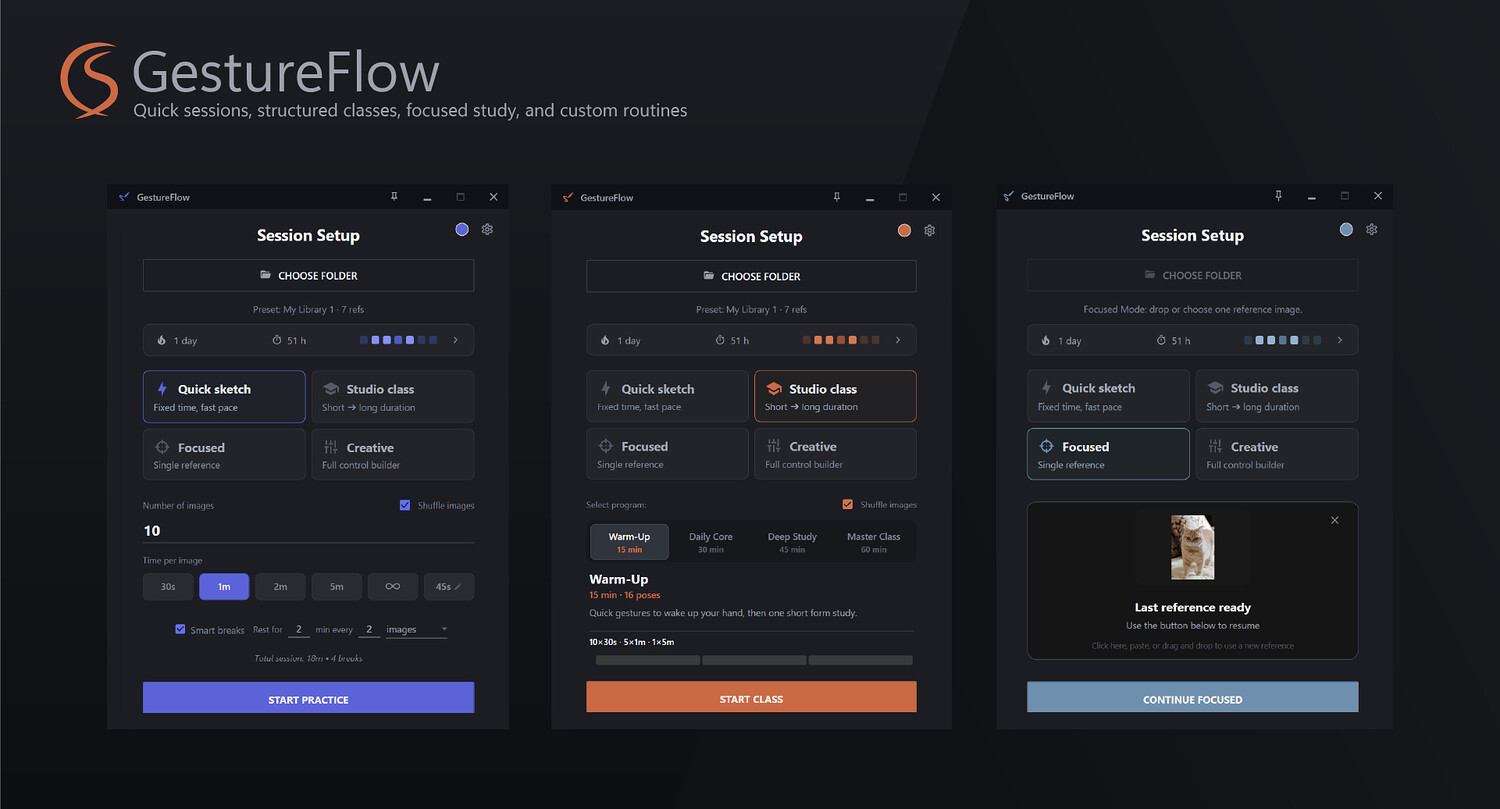
Quick Sketch is the fastest way to start a gesture drawing session.
Choose one folder or multiple folders, set how many images you want to draw, choose the time per image, enable or disable shuffle, and start practicing.
You can use standard time intervals, set a custom duration, or switch to Zen Mode if you want to draw without a timer.
Quick Sketch is ideal for daily warm-ups, short practice sessions, anatomy drills, or fast gesture drawing exercises when you want to start quickly without extra setup.
Studio Class
Studio Class gives you ready-made drawing programs from 15 to 60 minutes.
Each class has its own structure: how many references you will draw, how long each drawing block lasts, where breaks happen, and how the full session is organized.
The full program is shown on the class page before you start, so you always know what kind of practice session you are entering.
This mode is useful when you want a complete, structured drawing session without building one manually. Pick a class, start drawing, and let GestureFlow handle the pacing.
Focused Mode
Focused Mode is made for studying a single reference.
Found a great image online and want to quickly draw or analyze it? Drag it directly into GestureFlow from your browser, drop it from a folder, paste it from the clipboard, or choose it manually.
Focused Mode has no timer. It is designed for careful observation, construction study, value study, proportion checking, anatomy analysis, or simply drawing one reference at your own pace.
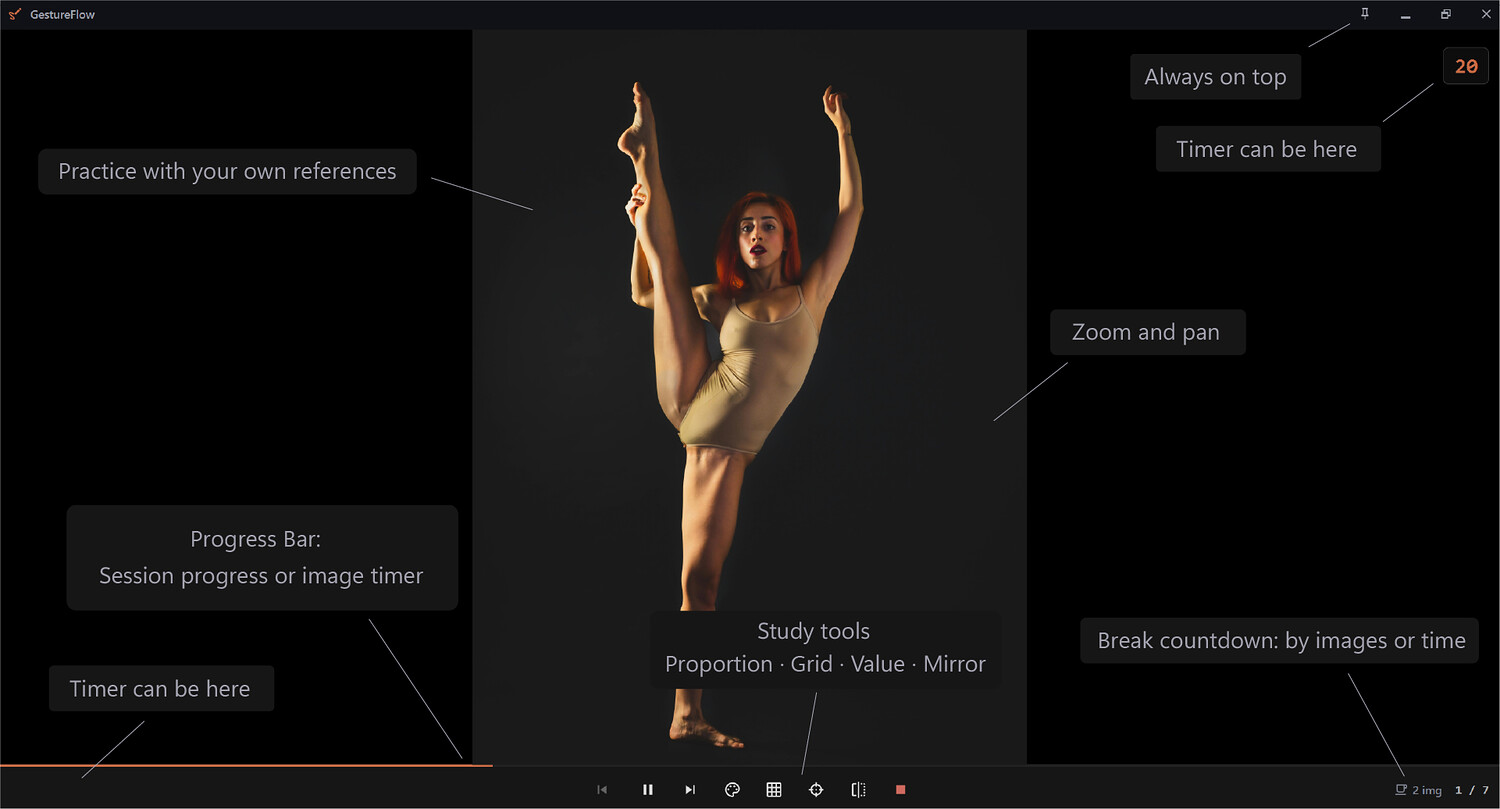
With zoom, pan, mirror, grid, and other study tools, GestureFlow lets you work with a reference more comfortably than a basic image viewer.
Creative Builder
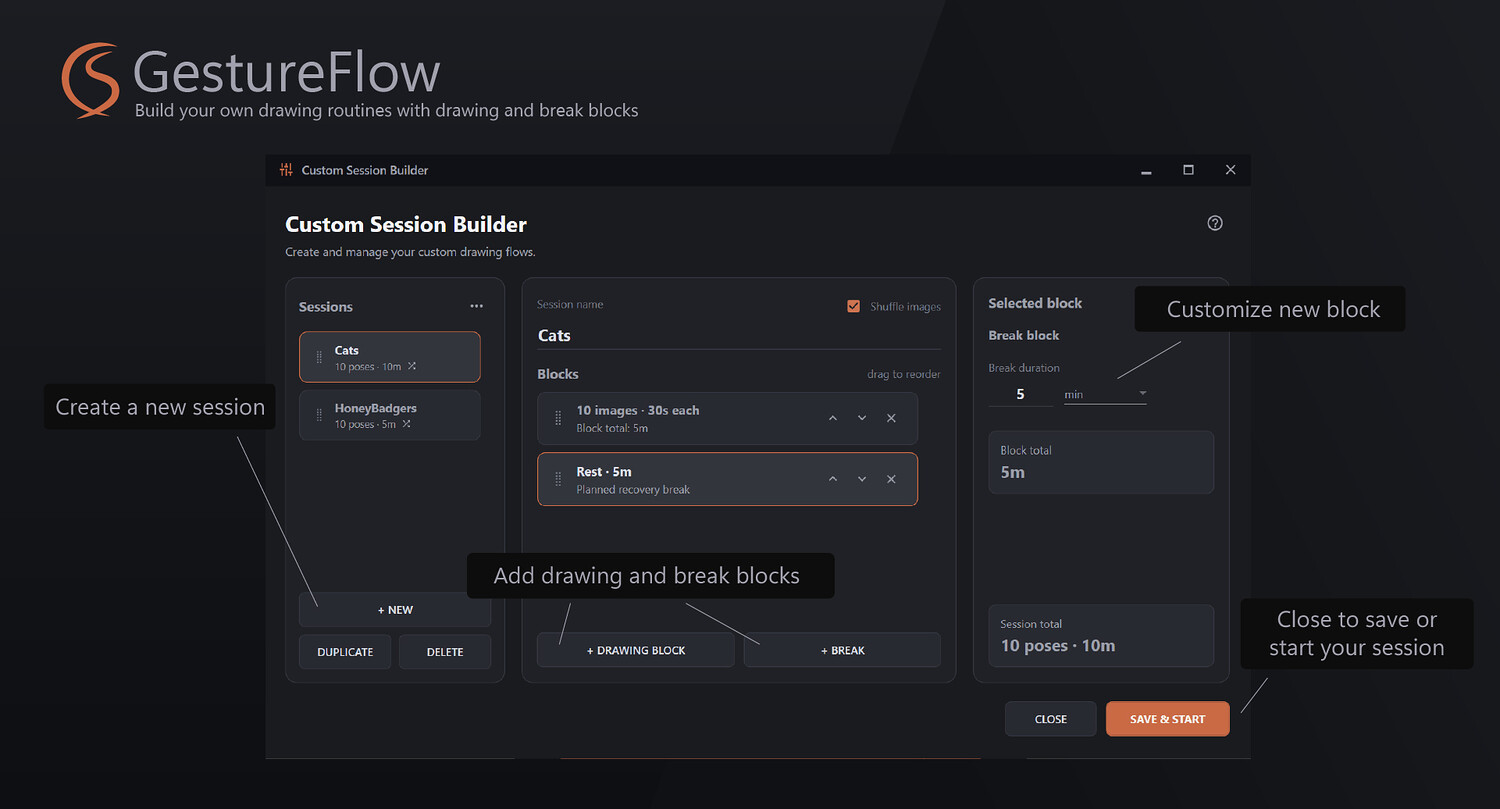
Creative Builder lets you design your own custom practice sessions.
Build a session from drawing blocks and break blocks, arrange them in the order you need, and create a routine that matches your personal training style.
You can make short warm-ups, long study sessions, mixed gesture classes, focused anatomy drills, or anything in between.
Your custom sessions are saved automatically, so you can return to them later and launch them again whenever you need.
Reference library with visual presets
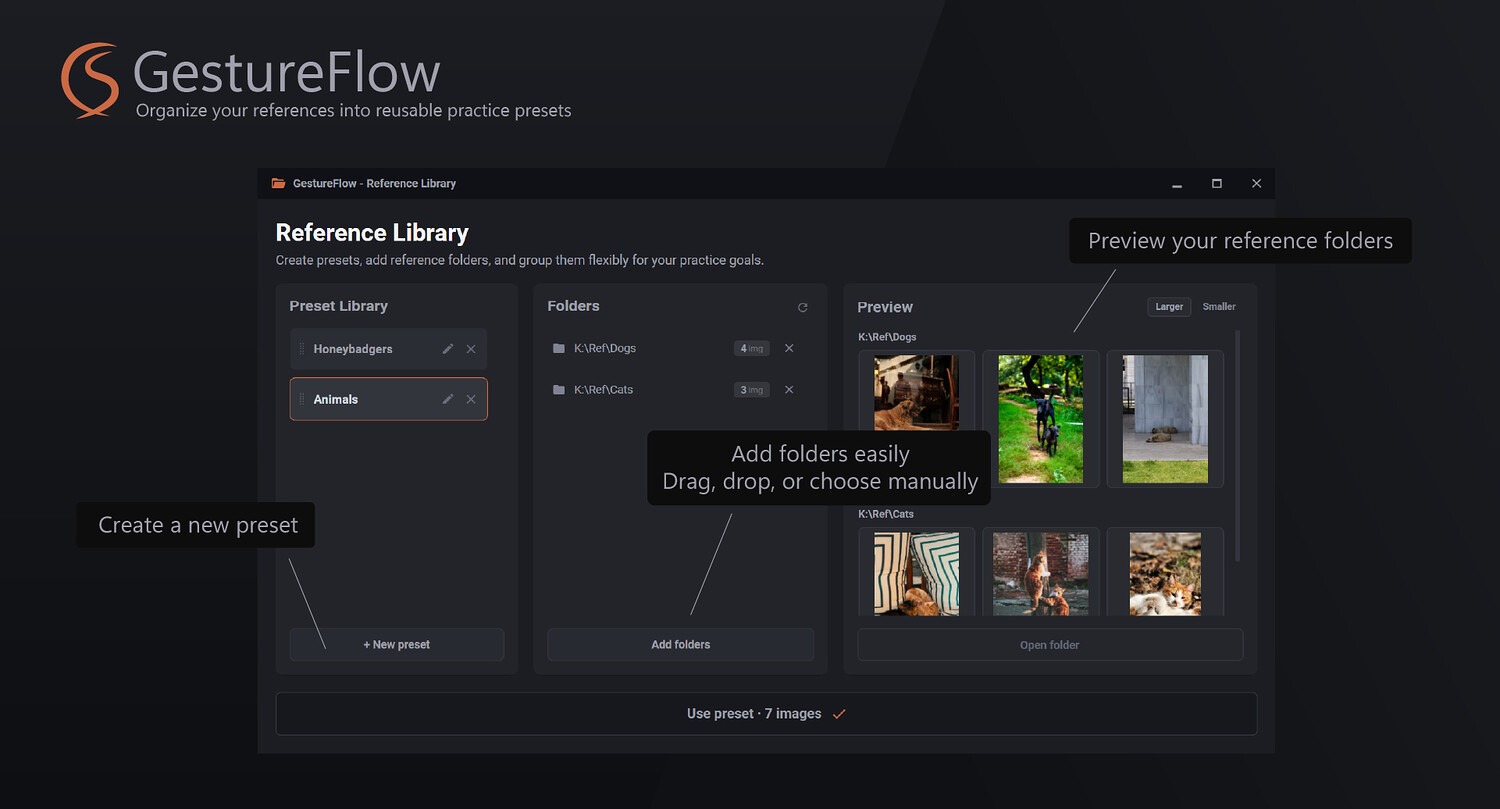
GestureFlow includes a reference library designed to make practice setup easier.
Create a new preset, add one folder or multiple folders with references, preview the images, and start drawing. Your presets are saved automatically, so you can build as many reference collections as you need.
For example, you can create separate presets for full-body gestures, hands, heads, portraits, anatomy studies, animals, clothing, dynamic poses, or any other subject you practice regularly.
Today you can practice hands. Tomorrow you can switch to heads. Later you can launch a full-body gesture session in just a few clicks.
No more hunting through folders every time you want to draw.
Statistics and yearly heatmap
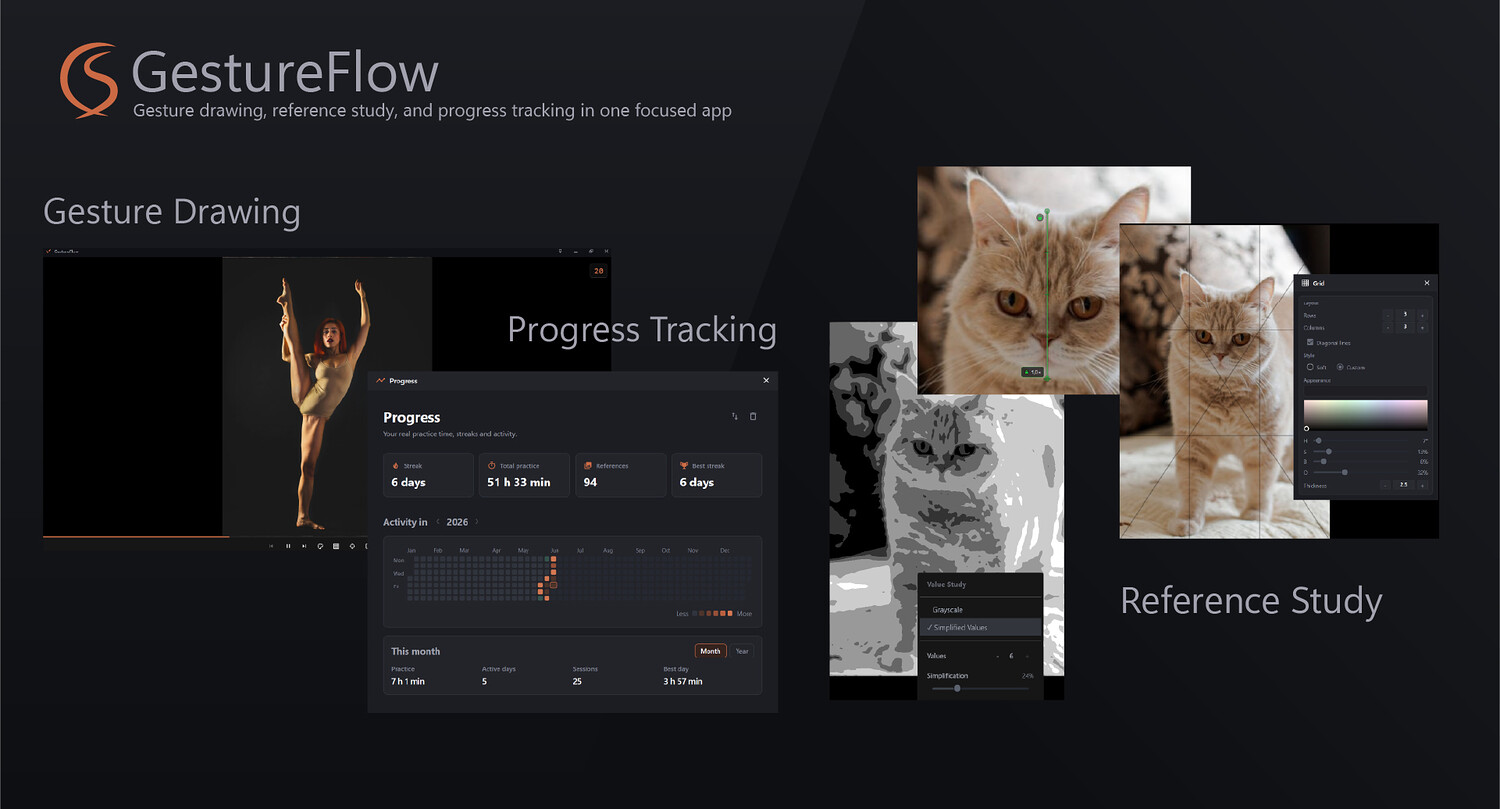
GestureFlow can track your completed practice sessions and help you see your progress over time.
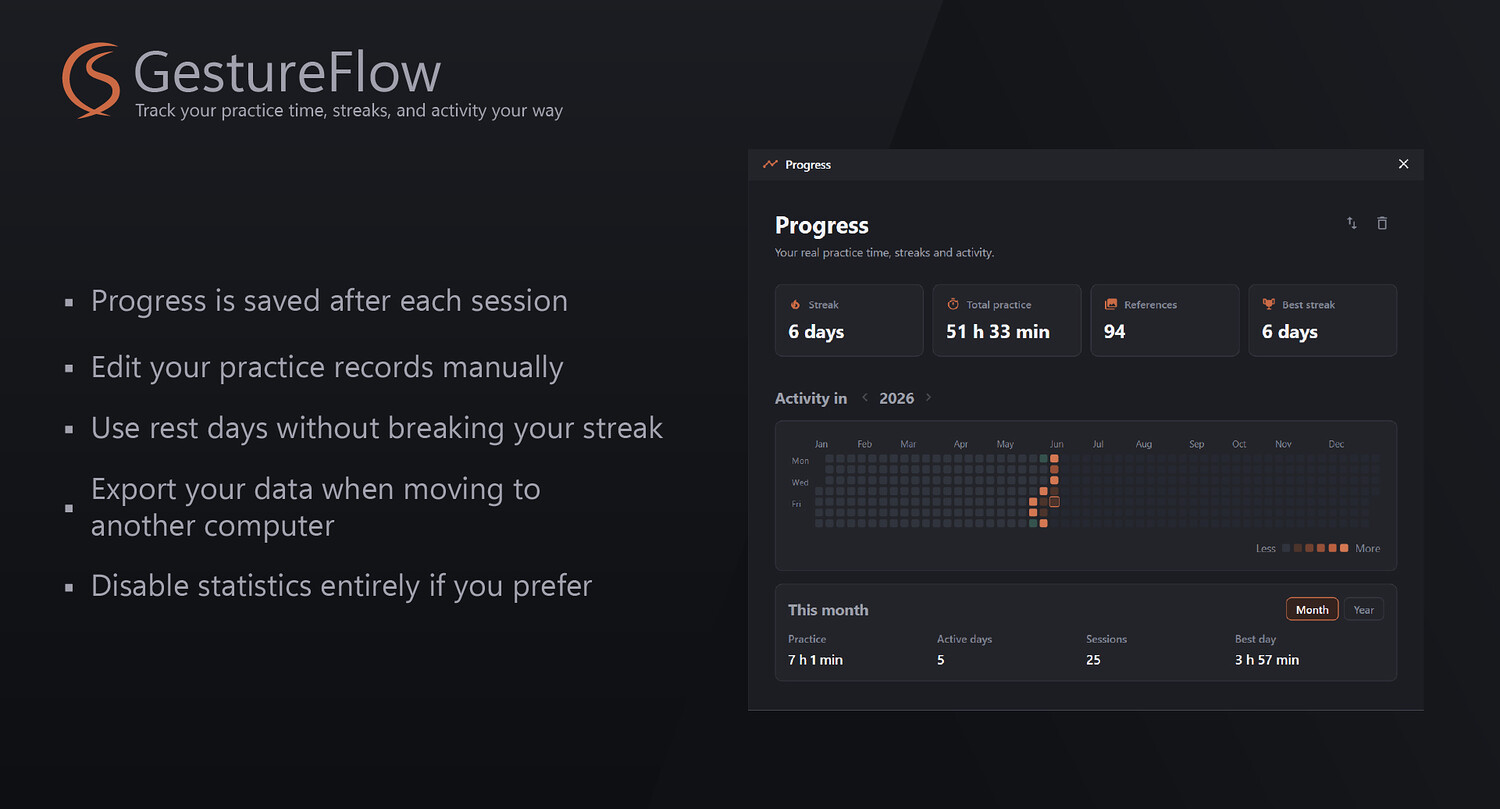
Your sessions are saved into statistics, allowing you to see how much time you have spent practicing, how many references you have drawn, and how consistent your routine has been.
The yearly heatmap gives you a clear visual overview of your practice history. After each completed session, GestureFlow can also show your current streak, helping you stay motivated and keep momentum.
And because real life happens, the heatmap is editable. You can remove a day, mark a day as rest, or manually add practice time completed outside GestureFlow.
Statistics are optional. If you prefer not to track your practice, you can turn them off completely.
Practical study tools
GestureFlow is not just a timer. It also includes tools that help you study references more deliberately.
Proportion Tool
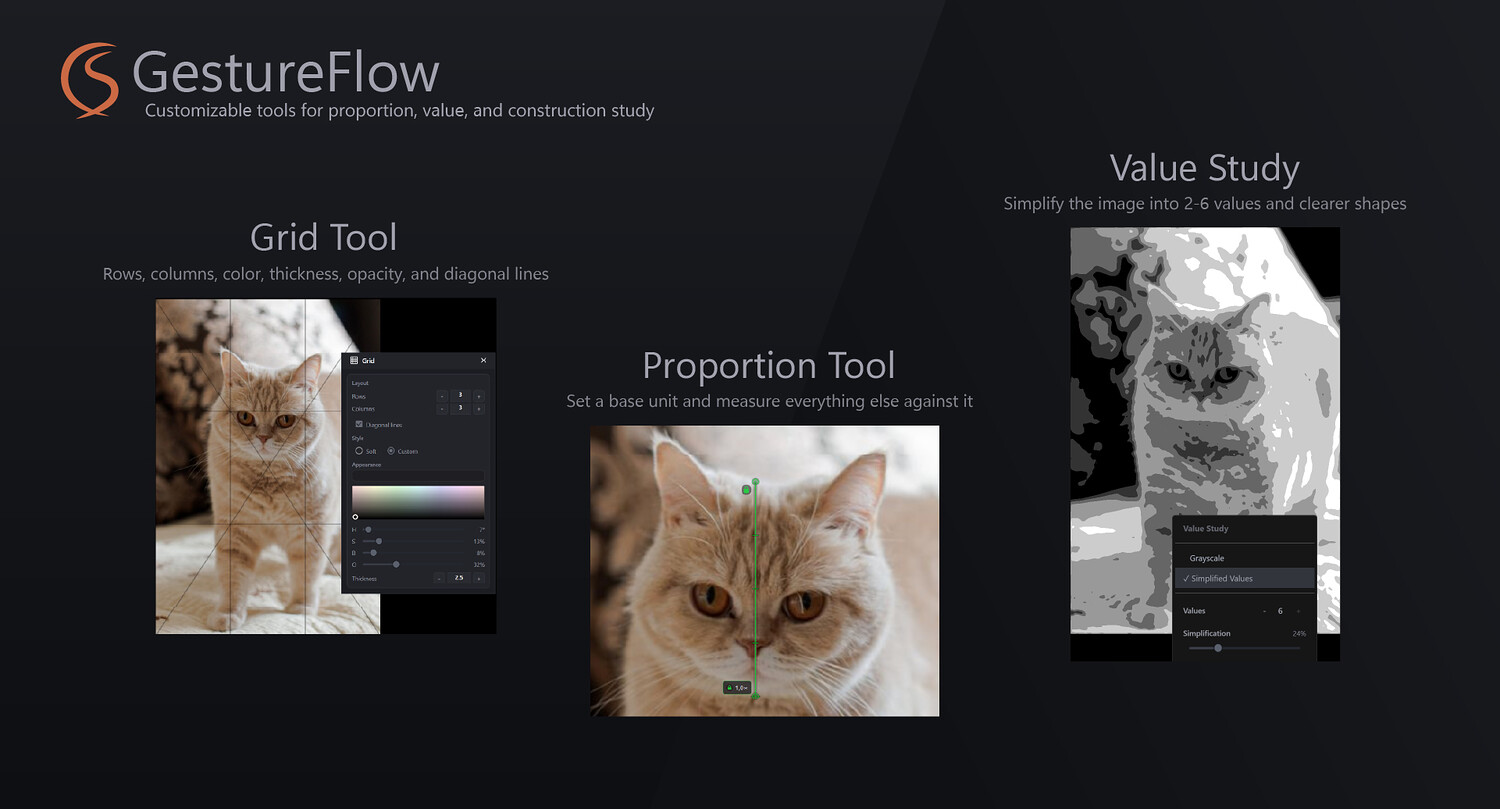
The Proportion Tool helps you measure and compare proportions.
Set a base unit, such as the head, lock it, and further measurements will show distances relative to that unit. This makes it easier to check proportions, test visual guesses, and train your eye.
It is useful for figure drawing, portrait study, anatomy practice, and any situation where relative measurement matters.
Value Study
Value Study helps you analyze light and dark relationships in a reference.
You can switch the image to grayscale or reduce it to a limited number of values, from 2 to 6. You can also use shape simplification to make the result cleaner and easier to read.
This is useful for studying contrast, shadow grouping, composition, readability, and the big value structure of an image.
Zoom and Pan
GestureFlow lets you zoom toward the mouse cursor and move around the reference comfortably, treating the image more like a canvas than a static viewer.
This makes it easier to study details, inspect forms, and move between the full image and close-up areas without losing your flow.
Grid Tool
The Grid Tool gives you a customizable overlay for reference study.
You can adjust the number of rows and columns, line thickness, color, and optional diagonal lines.
Use it for construction, alignment, proportion checking, composition study, or breaking a complex reference into simpler visual sections.
Mirror, grayscale, and practice controls
GestureFlow includes common but essential study controls such as mirror mode, grayscale viewing, and flexible progress display.
The progress bar can show either your overall session progress or the remaining time for the current reference, depending on how you prefer to practice.
This lets you choose whether you want to focus on the full session or on the current drawing interval.
Built for regular practice
GestureFlow is designed for artists who want their practice environment to feel fast, comfortable, and reliable.
It can be used for quick warm-ups, serious study sessions, structured gesture classes, focused reference analysis, custom routines, and long-term progress tracking.
Whether you are practicing figure drawing, anatomy, portraits, animals, dynamic poses, or visual observation in general, GestureFlow gives you a flexible workspace that adapts to the way you learn.
Key features
- Timed gesture drawing sessions
- Zen Mode without a timer
- Ready-made studio classes from 15 to 60 minutes
- Custom session builder with drawing and break blocks
- Focused single-reference mode
- Drag and drop images from browser or folders
- Reference presets with preview
- Automatic preset saving
- Optional practice statistics
- Yearly heatmap
- Editable practice history
- Streak tracking
- Proportion Tool
- Value Study mode
- Zoom and pan
- Customizable grid
- Mirror mode
- Flexible progress bar behavior
Who is GestureFlow for?
GestureFlow is made for artists, students, illustrators, animators, concept artists, character artists, and anyone who practices drawing from references.
It is especially useful if you want:
- A better way to organize reference folders
- A faster way to start drawing sessions
- Ready-made practice structures
- Custom practice routines
- A focused viewer for studying single references
- Tools for proportion, value, and construction study
- A visual way to track your consistency over time
Keep practicing. Keep refining.
GestureFlow was built to make drawing practice smoother, more structured, and easier to return to. Your feedback and suggestions are welcome and will help shape future updates.
You will get 1 file
All files previously purchased will always be available for download in your Library